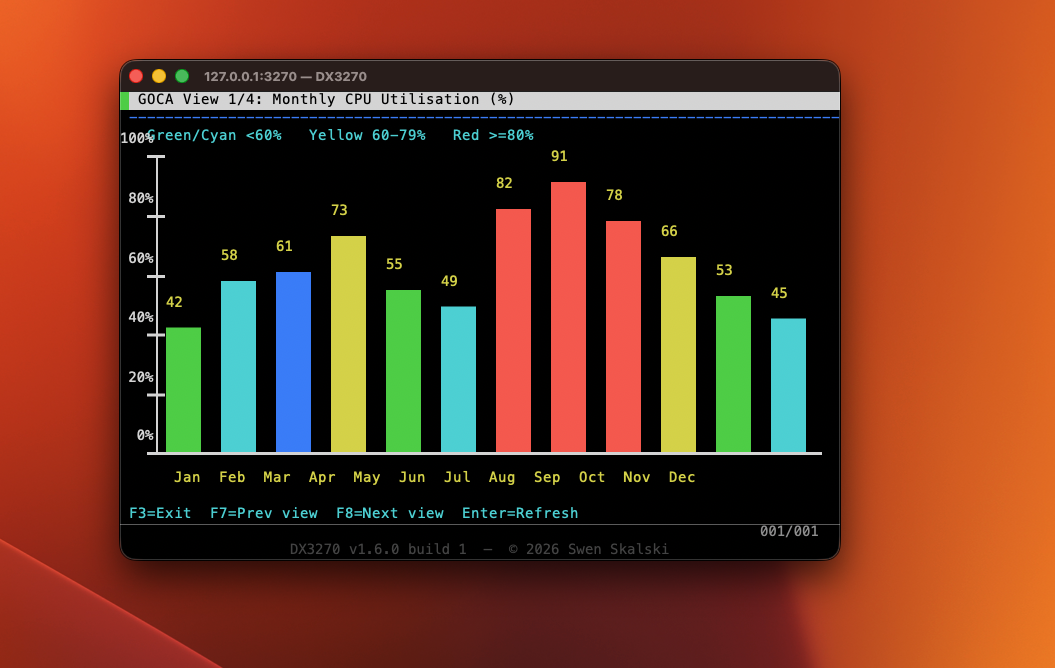
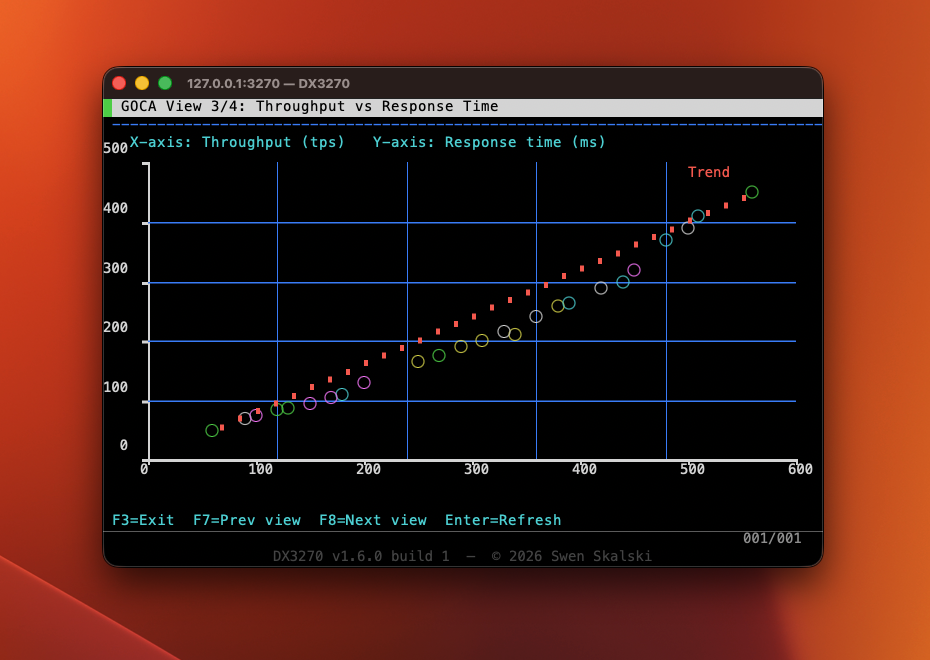
v1.6.0 — GDDM/GOCA vector graphics

DX3270

TN3270E Terminal Emulator for macOS

Native Cocoa. CoreText rendering. Full TN3270E negotiation.
Connect to IBM Mainframes — z/OS, z/VM, z/VSE — for free.

Free & Open Source Apple Silicon Intel No Java No X11 TLS 1.2+ ISPF / TSO GDDM Graphics
Download for Mac View on GitHub
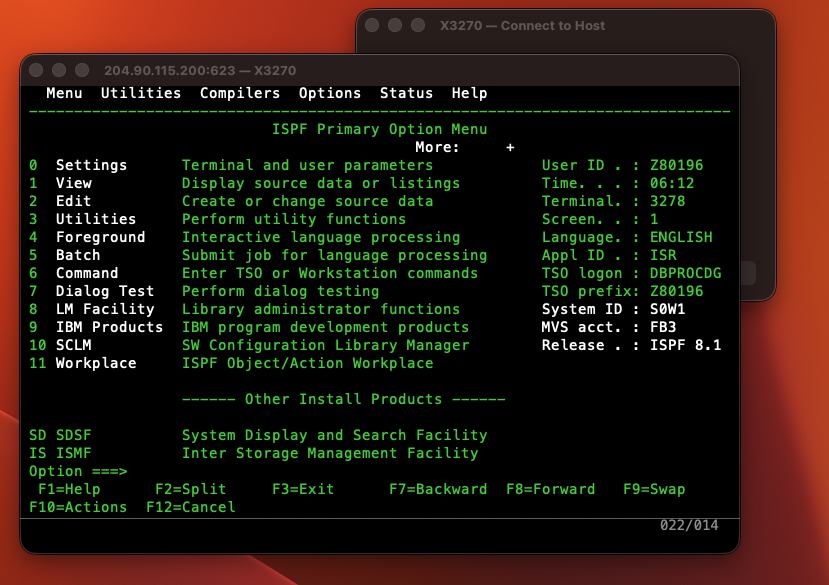
ISPF Primary Option Menu running inside DX3270

ISPF 8.1 Primary Option Menu — connected to IBM ZExplore at 204.90.115.200:623
No Java.
No X11.
No license fee.

Every decent TN3270 client for macOS either costs $50–$100+, requires Java, or hasn't been touched in a decade. DX3270 is none of those things.

🍎

Truly Native

Built on Cocoa, CoreText, and CoreGraphics. Renders like a Mac app because it is a Mac app. Apple Silicon and Intel binaries.

🔒

TLS Out of the Box

OpenSSL powers implicit TLS (TLS 1.2+) on any port. Connect to z/OS, z/VM, and z/VSE — encrypted or plain Telnet.

📊

GDDM Vector Graphics

Full GOCA order-stream decoder renders charts, diagrams, and topology maps as CoreGraphics overlays — no plugin needed.

🆓

Free Forever

MIT license. Source on GitHub. No subscriptions, no dongles, no activation keys. Just a terminal emulator that works.

⌨️

Correct Protocol

Full TN3270E negotiation, proper AID key codes per IBM GA23-0059, Query Reply with colour/highlight structured fields. ISPF just works.

🖥️

Five Screen Models

Model 2–5 plus a non-standard 62×160 large model. Dynamic Usable Area Query Reply, 14-bit buffer addressing.

Every feature you need,
nothing you don't.

Feature Details
ProtocolTN3270E (RFC 2355) with automatic fallback to classic TN3270
SecurityPlain Telnet and implicit TLS (TLS 1.2+) on any port via OpenSSL
Screen ModelsModel 2 (24×80) · Model 3 (32×80) · Model 4 (43×80) · Model 5 (27×132) · Large (62×160)
EBCDICCP037 (US), CP500 (International), CP1047 (Open Systems)
ColoursIBM 3279 seven-colour palette, extended attributes (SA/SFE), per-cell background fill, reverse video, underscore
GDDM/GOCAFILRECT · FULLARC · CGPOS/CLCS · SCOL · SMIX · BSEG/ESEG · LNPOS/LNAT — CoreGraphics vector overlay
KeyboardPF1–PF24, PA1–PA3, Clear, Reset, Tab/BackTab, ErEOF, Insert, arrows — correct IBM AID codes
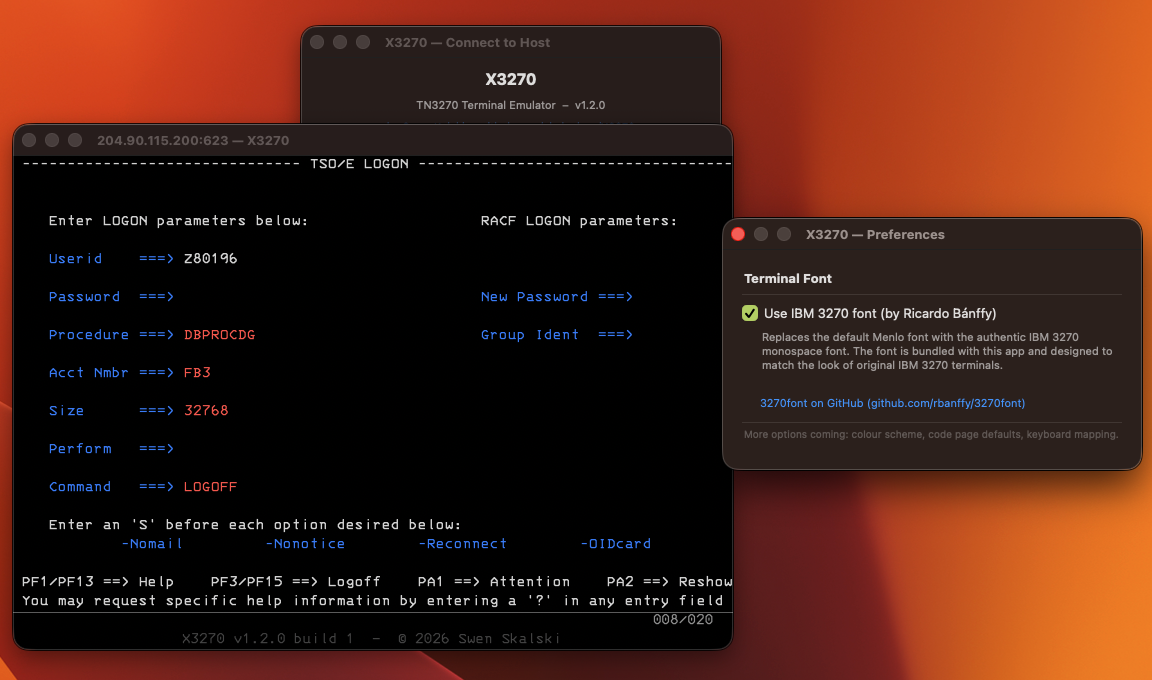
FontMenlo (default) or bundled IBM 3270 font by Ricardo Bánffy (SIL OFL). Switchable live in Preferences.
Query ReplyRead Partition Query with Colour, Highlighting, and GOCA Data Streams structured fields
ExportSave Screenshot as PNG (⌘⇧P) · Export Screen as UTF-8 Text (⌘⇧T)
DiagnosticsTraffic Monitor — live hex/ASCII dump of all Telnet bytes (⌘⇧D)
Connection HistoryLast 20 hosts stored in NSUserDefaults; selects port, TLS, CA bundle, code page automatically
macOS12 Monterey and later · Apple Silicon (ARM64) + Intel (x86_64)

Pick your architecture.

Pre-built DMGs are published automatically on every push to main via GitHub Actions.

Intel · x86_64

DX3270 for Intel Macs

2019 Macs and earlier. Cross-compiled from Apple Silicon using Clang's native x86_64 support.

Download DMG (Intel)
First launch — macOS Gatekeeper

DX3270 is currently unsigned. After dragging to /Applications, open System Settings → Privacy & Security and click Open Anyway. Or run once in Terminal:

sudo xattr -r -d com.apple.quarantine /Applications/DX3270.app

Connect in 60 seconds.

01

Download & Install

Download the DMG for your Mac architecture. Open it and drag DX3270.app to /Applications.

02

Bypass Gatekeeper (first time only)

macOS will block an unsigned app. Go to System Settings → Privacy & Security → Open Anyway, or run the xattr command above.

03

Open the Connect dialog

The Connect dialog opens automatically on launch. Enter your mainframe host, port, and choose TLS if needed. IBM ZExplore is available free at 204.90.115.200:623.

04

Start typing on the green screen

ISPF and TSO sessions work out of the box. PF keys, tab navigation, and multi-colour attributes all behave exactly as expected.


Prerequisites: Xcode CLT · Homebrew · OpenSSL · CMake

# Install dependencies
xcode-select --install
brew install openssl@3 cmake

# Clone and build (Apple Silicon)
git clone https://github.com/el-dockerr/X3270.git
cd X3270
cmake -B build -DCMAKE_BUILD_TYPE=Release
cmake --build build
open build/DX3270.app

Every key, mapped.

Function Keys

F1F12PF1–PF12
⇧F1⇧F12PF13–PF24
⌥1 / ⌥2 / ⌥3PA1 / PA2 / PA3
ReturnEnter (AID)
EscapeReset (unlock keyboard)
⌥EscapeClear screen

Navigation & Editing

Tab / ⇧TabNext / previous field
Cursor movement
InsertToggle insert mode
⌥DeleteErase to End of Field
⌥EErase Input (all unprotected)

Application Shortcuts

⌘NNew Connection
⌘,Preferences
⌘⇧PSave Screenshot
⌘⇧TExport Screen as Text
⌘⇧DTraffic Monitor
⌘/Keyboard Shortcuts window

Like DX3270? Support the project ♥

DX3270 is free and always will be. If it saves you a mainframe terminal license fee, consider buying the author a coffee.

♥  Support this project